

Touch Controller
Touch Controller is the second controller implemented in Remortal. From the early stages of the development and pre-production, we knew that the game needed another controller other than Lucid Controller, one that is more familiar to players and brings them the opportunity to play comfortably or an alternative in times they are not able to use Lucid Controller. In this post, we first define the requirements of such a mechanism and then talk about the main ideas of touch controllers in other games and finally describe the implementation of this controller in Remortal.
Required Features
As said above, Touch Controller is developed as an alternative option to Lucid Controller. Therefore, regardless of the distinctive feeling that each controller represents, the gameplay should remain balanced through both options. Consequently, we came to three main qualitative requirements for Touch Controller:
1. It should be relatively more familiar to players than Lucid Controller, in other words, we wanted them to have the option of picking up and playing our game without the need to adapt to the new and unseen controller.
2. As the game gets harder, players need to maintain their accuracy while still reacting fast enough to dodge obstacles that make them go from one corner of the screen to the other.
3. Players should be able to move continuously in the game world (i.e., no discrete columns for the player to switch, no jump gesture, etc.)
Touch Controller in Other Games
Mobile games use various touch controllers that can be grouped into 3 general types.
1. In the first type, player’s finger position, u, and position in the game world, X, are mapped onto each other with the following equation:
X = f(u)
2. The second type offers a virtual joystick on the screen. The movement speed is calculated from the distance between the touch position and the center of the joystick using this equation:
\Delta X = f ( u – c )
where c is the position of the joystick’s center. In some cases the center of the circle is dynamically set. In this case the center of the circle is usually the point that the player started the touch from.
\Delta X = f ( u – u_0 )
where u_0 is the first touch position.
3. In the last type of controllers, movement is relative to the movement of the finger on the screen.
\Delta X = f (\Delta u)
The design of Touch controller
Remortal’s Touch Controller is a mixture of the second and third type of controllers mentioned above. The movement of the in-game camera is calculated based on both the instantaneous movement of the finger and the position of the finger according to an invisible circle that we describe below.
\Delta X = f (\Delta u) \times g( u – c )
The center of this circle is the first touch point as the player starts touching the screen. When the player moves their finger, the circle starts to follow the finger at a speed that is always slower than finger speed but increases as the distance between the circle center and the finger position increases.
c_0 = u_0
\Delta c = z(u – c)
In the newest version of the game, f is linearly related to \Delta u.
f(\Delta u) = C \Delta u
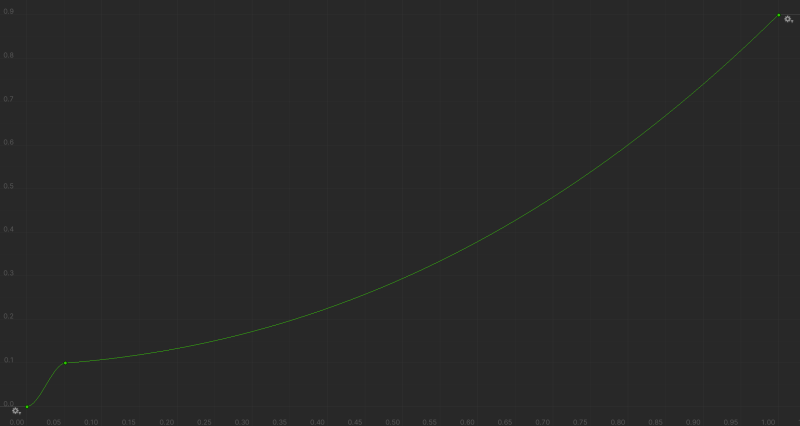
Where C is the coefficient to convert from screen space to world space. We define g and z using Unity’s animation curves.
Modifications for a better experience
We also applied some modifications to the discussed implementation of the Touch Controller to make the players’ experience smoother and more exciting. Satisfied by the results of these adjustments, we applied them to Lucid Controller as well.
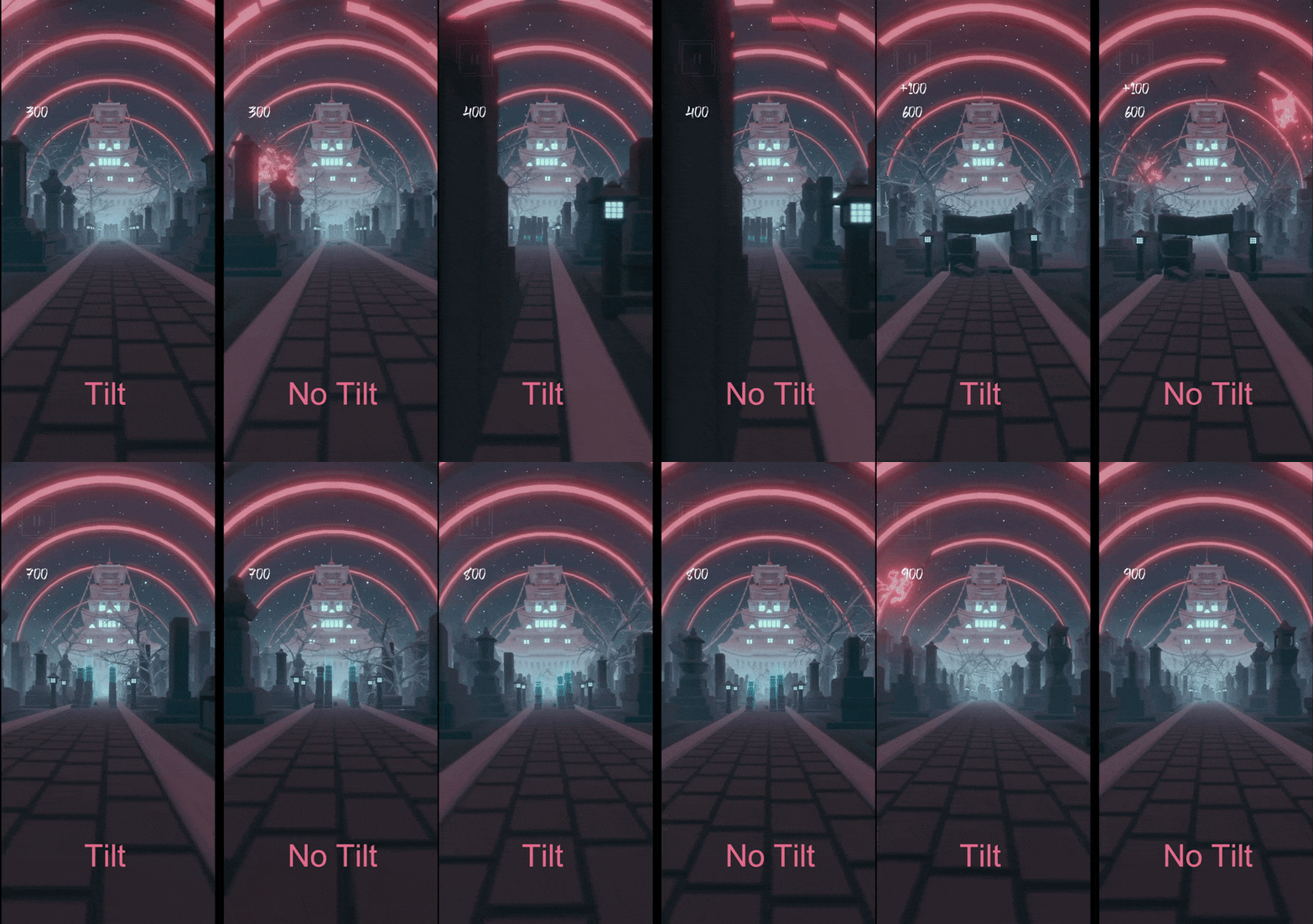
The first tweak was to add a tilt movement to the camera. As players move left or right, the camera will tilt left or right according to the speed of the camera movement. This resulted in a more thrilling experience as it was more similar to the natural movement that we see around us.
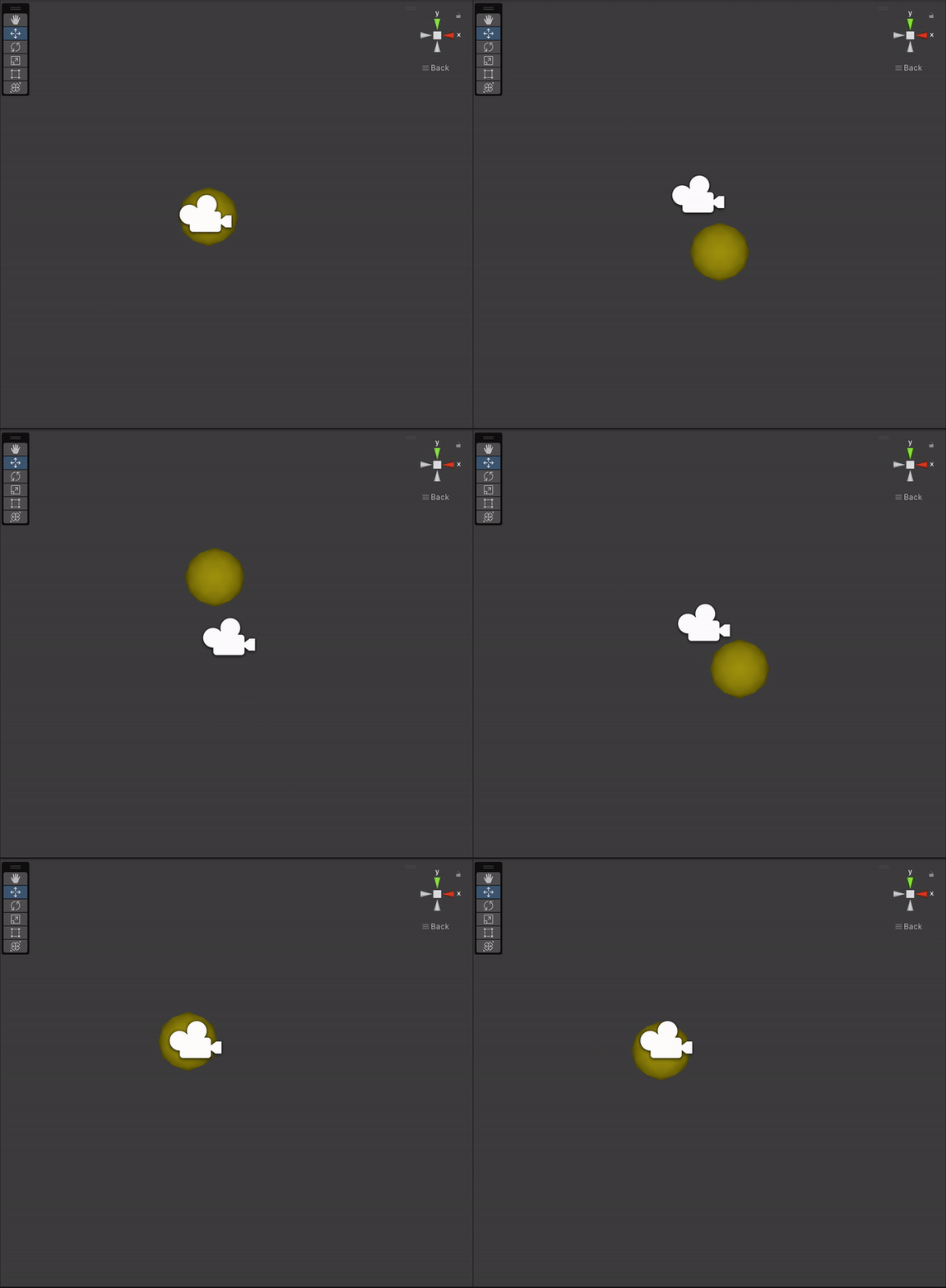
The second modification was to add a damping oscillator to the movement of the camera. To add this modification, we first calculate an initial position from the touch controller described in the last section. Then, we calculate acceleration, speed and movement from the damping oscillator and add this movement to the initial movement to find the final position of the camera. This reduces the sharp changes of movement, resulting a smoother gameplay.
To sum up this post, we covered the main design decisions behind Touch Controller which at first was supposed to be a more casual alternative to Lucid Controller, but after some twists and turns in development, it became the main controller for Remortal. We also shed light on some of the minor tweaks we applied to this controller to make the players’ experince as seamless and as exciting as possible.
Leave a Reply